
30/10/2026
E-Way Bill for Courier 2026: Limit, Rules, Who Generates It
When a courier shipment needs an e-way bill, the ₹50,000 limit, who generates it, validity, edit and cancel rules, and penalty.
Read More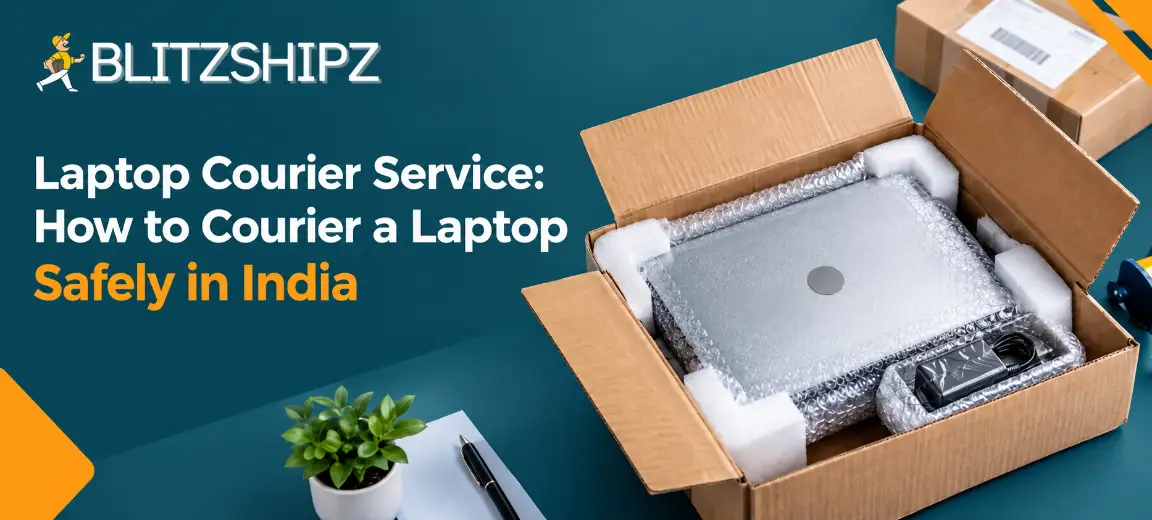
Yes, you can send a laptop by courier in India using a reliable laptop courier service. Back up your data, shut the laptop down fully, pack it in a strong padded box, declare its value and book a pickup. The cost depends on the chargeable weight of the box, the distance and the delivery speed you choose.
This guide explains how to courier a laptop safely: the battery rules, how to pack a laptop for courier, what decides the charges, which documents to keep ready and what to do if something goes wrong.
Key facts
Allowed: A laptop with its battery inside can be sent by courier within India if it is switched off and the battery is not damaged.
Battery rule for air: India follows the ICAO Technical Instructions, which the DGCA applies, and airlines and couriers also use IATA rules. For domestic air courier, a lithium-ion battery inside a device should be 100 Wh or less. Most laptop batteries are within this limit, but check the Wh rating on the label.
Switch it off: The laptop must be fully shut down, not in sleep, standby or hibernate mode.
Billed weight: Couriers charge on the higher of the actual weight and the volumetric weight (usually length × width × height in cm ÷ 5,000).
E-way bill: Under GST rules, goods worth more than ₹50,000 generally need an e-way bill when they move. Used personal and household effects are exempt, so sending your own used laptop may not need one.
At BlitzShipz: For a laptop courier service with doorstep pickup, compare rates across multiple courier partners, book door-to-door pickup and track your laptop in one dashboard.
Need to send a laptop today? Create a free BlitzShipz account, compare courier rates and serviceability for your pin codes before you book, and pick the option that suits your budget. Sign up free →
Yes, you can courier a laptop within India, as long as the battery is inside the laptop, it is not damaged and the device is switched off. Laptops use lithium-ion batteries, which are treated as dangerous goods when they travel by air. That is why couriers have a few rules for them.
For domestic air courier, India follows the ICAO Technical Instructions, which the Directorate General of Civil Aviation (DGCA) applies, and airlines and couriers also use the IATA Dangerous Goods Regulations. Under these rules, a lithium-ion battery inside a device should be 100 Wh or less. Most laptop batteries are within this limit. You can find the Wh rating on the battery label or in the laptop’s specification sheet.
|
What you want to send |
Can you send it? |
|
Laptop with its battery inside, switched off |
Yes |
|
Laptop charger and power cable |
Yes |
|
Laptop in sleep, standby or hibernate mode |
No, shut it down fully |
|
Laptop with a swollen, leaking or damaged battery |
No |
|
Spare or loose laptop battery |
Usually restricted, check with the courier first |
|
Power bank packed with the laptop |
Usually restricted, check with the courier first |
Before you courier a laptop, protect your data first, then prepare the device. A laptop can be repaired or replaced, but lost files often cannot.
Back up your data to a cloud drive or an external drive.
Sign out of accounts you do not want the receiver to access. If you are selling the laptop, reset it and remove your personal files.
Remove extras such as pen drives, SD cards, discs and stickers with passwords.
Note the serial number and keep a copy of the invoice. You will need both if you raise a claim.
Take photos and a short video of the laptop working, from all sides, before you pack it.
Shut it down fully. Do not leave it in sleep, standby or hibernate mode.
The safest way to pack a laptop for courier is in its original box, placed inside a second strong outer box with padding on every side. If you do not have the original box, use a laptop sleeve, bubble wrap and a sturdy corrugated box.
Wrap the laptop. Put it in a sleeve or wrap it in two or three layers of bubble wrap. Tape the wrap so it does not open.
Wrap the charger separately. Coil the cable loosely and wrap it so it cannot scratch the laptop.
Choose the right box. It should be a little bigger than the wrapped laptop, with space for padding on all sides. A box that is far too big costs more and lets the laptop move.
Fill every gap. Use bubble wrap, foam or air pillows on the bottom, sides and top.
Do the shake test. Close the box and shake it gently. If anything moves, add more padding.
Seal it well. Tape all seams in an H pattern with strong packing tape.
Label it clearly. Fix the shipping label on the top. Avoid writing “laptop” on the outside of the box.
Even the best laptop courier service cannot protect a laptop that moves inside a loose box, so packing is your job.
|
Do |
Don’t |
|
Use the original box inside an outer box |
Send it in a thin cardboard box or a plastic bag |
|
Fill every gap with padding |
Leave space for the laptop to slide |
|
Keep the charger wrapped separately |
Put a power bank or spare battery in the box unless your courier confirms it is allowed |
|
Keep photos of the packed box |
Write “laptop” on the outside |
There is no single price for laptop courier charges or laptop parcel charges. The laptop courier price depends on the chargeable weight of your box, the distance, the delivery speed and any extra cover you choose.
Chargeable weight: Couriers charge on the higher of the actual weight and the volumetric weight. Volumetric weight is usually length × width × height in cm, divided by 5,000. See how volumetric weight is calculated.
Distance: Sending within your city usually costs less than sending to another state or a remote area.
Speed: Express delivery usually costs more than standard delivery.
Declared value and cover: Extra cover for a high-value laptop can add to the price.
Example: A packed laptop box measures 45 × 35 × 12 cm and weighs 3 kg on a scale.
|
Measure |
Weight |
|
Actual weight |
3 kg |
|
Volumetric weight (45 × 35 × 12 ÷ 5,000) |
3.78 kg |
|
Weight you are billed on |
3.78 kg, rounded up to the courier’s next weight slab |
So a box that is too large can raise your laptop courier charges above what the laptop’s real weight would cost. Measure and weigh the packed box correctly before booking. If the courier bills a higher weight than you declared, here is how to dispute a weight discrepancy.
The best courier to send a laptop is the one that services both pin codes, gives clear tracking, accepts a declared value and offers doorstep pickup. A low price alone is not enough for a high-value item.
Whether you need a laptop delivery service within your city or a laptop parcel service to another state, use this checklist when you choose a laptop courier service. A safe courier for laptop shipments should tick every box:
|
Check |
Why it matters |
|
Serviceability for both pin codes |
The laptop should not get stuck at a hub |
|
Live tracking |
You and the receiver can see where the parcel is |
|
Declared value and cover options |
You can claim if something goes wrong |
|
Doorstep pickup |
You do not have to carry the laptop to a counter |
|
Clear rates before booking |
No surprise on the bill |
|
Support you can reach |
Someone helps if the parcel is delayed |
With any laptop courier service, you send a laptop by checking serviceability, comparing rates, declaring the value, booking a pickup and tracking the parcel until it is delivered.
Check serviceability for your pickup and delivery pin codes.
Compare courier rates and delivery times for your packed box weight and size.
Enter the details correctly: weight, dimensions, a correct description of the item and the declared value.
Book a pickup from your home or office. If you are new to this, read about booking a courier pickup from home.
Hand over the box with the label fixed and a copy of the invoice inside or attached, as your courier partner asks.
Track the parcel and share the tracking details with the receiver.
Ask the receiver to record an unboxing video before opening the box. This helps if there is any damage claim.
The same steps work whether you send the laptop to a home, an office or a repair centre.
Want a pickup from your door? BlitzShipz offers door-to-door pickup and delivery, and you can track every shipment in real time from one dashboard. Start shipping free →
To courier a laptop, keep a copy of the purchase invoice or a bill showing its value. If the laptop is worth more than ₹50,000 and is not your own used personal item, you may also need an e-way bill.
|
Document |
When you need it |
|
Invoice or bill showing the value |
Always keep one ready |
|
Declared value on the booking |
Always fill it in correctly |
|
E-way bill |
Generally when the value is more than ₹50,000; used personal and household effects are exempt; ask your courier partner what they need |
|
Photo ID or KYC |
When you open a business or shipping account |
Under GST e-way bill rules, goods worth more than ₹50,000 generally need an e-way bill when they move, even if they are not being sold. Under Rule 138(14) of the CGST Rules, 2017, used personal and household effects are exempt, so sending your own used laptop may not need one. A business sending a new laptop worth more than ₹50,000 generally does. Rules can differ by situation, so confirm with your courier partner or a tax advisor before you ship a high-value laptop.
Yes, for an expensive laptop, booking a laptop courier with insurance or extra cover is usually worth it. Declare the full value and ask what is covered. Without cover, a courier’s liability for loss or damage may be much lower than the laptop’s value.
Before you book a laptop courier service, ask your courier partner three questions:
What is covered if the laptop is lost or damaged?
Is there a limit on the declared value?
What proof will I need to make a claim?
Keep the invoice, the packing photos and the booking receipt until the laptop is delivered safely.
If the laptop arrives damaged, record the unboxing, take photos and raise a claim quickly with the AWB number (the tracking number on your shipping label). If it does not arrive on time, check the tracking first and contact your courier partner with the AWB number.
Damaged box at delivery: Ask the receiver to note the damage, take photos before opening and record the unboxing.
Laptop damaged inside: Share the unboxing video, packing photos, invoice and AWB number when you raise the claim.
Delayed or missing: Track the shipment and raise it early. Here is what to do if a shipment is delayed or lost.
Claim windows can be short with any laptop courier service, so ask your courier partner for the deadline and report the problem as soon as you see it.
Ship a used laptop you sold online the same way as any laptop, then share photos of the packed box, send the tracking details quickly and keep proof of dispatch. Knowing how to courier a laptop safely matters even more here, because buyers trust you only when the laptop arrives safely. If you are just starting, read our guide to selling a used laptop on OLX.
Share photos of the laptop and the packed box with the buyer before dispatch.
Send the tracking details as soon as the parcel is picked up, so the buyer can follow the laptop parcel delivery.
If you offer cash on delivery, choose a platform that tracks every COD payment.
If you need a laptop courier service with doorstep pickup and live tracking, BlitzShipz brings multiple courier partners into one account for Indian sellers and businesses. Before you book, check serviceability and any item rules for your route.
Compare rates before booking: Check courier rates and serviceability for your pickup and delivery pin codes in real time, or use the Shipping Rate Calculator.
Multiple courier partners: Ship through multiple courier partners from one account, so you are not tied to one network.
Smart courier selection: BlitzShipz helps you pick a suitable courier for each shipment from its courier partners.
Door-to-door pickup and delivery, so you do not need to drop the laptop anywhere.
Express delivery with same day pickup for urgent shipments.
Same day delivery in 9 metro cities when you book before the city cutoff.
28,000+ pin codes: Pan-India coverage across 28,000+ pin codes.
One dashboard with live tracking for shipments across all courier partners.
Weight dispute help: Raise weight disputes from the dashboard, and BlitzShipz takes them up with the courier partner.
AI calling on failed deliveries: When a delivery fails, the AI Caller contacts your customer to understand why. The call recording is available on your seller panel.
WhatsApp NDR alerts: You get an instant WhatsApp alert when an order enters NDR, so you can act before it turns back.
Return management: Reverse pickups are supported according to your return policy.
COD remittance: COD remittance is processed daily on a T+4 cycle, which is 4 working days from the date of delivery, with no hidden charges.
Bulk and B2B shipping, including warehouse dispatch.
Integrations with Shopify, WooCommerce and Wix, or use the Open API.
Free account: Sign up free, complete KYC, set up your warehouse and business profile, and get instant activation.
Support: Call +91-120-5106784 or chat on WhatsApp, Monday to Saturday, 9:30 AM to 6:30 PM.
Ready to ship your laptop? Your BlitzShipz account is free, activation is instant once your KYC is done, and you can reach 28,000+ pin codes with door-to-door pickup. Create your free account →
When a courier shipment needs an e-way bill, the ₹50,000 limit, who generates it, validity, edit and cancel rules, and penalty.
Read More
Delhi to Mumbai courier guide: cost, delivery time, air vs surface and documents.
Read More
Branded tracking page explained: what to include, how it cuts WISMO queries, and how to add one to your store.
Read More
Tracking status meaning: 30 courier statuses explained in order, plus short forms and what to do when a status is stuck.
Read More
Shipping zones in India explained: the 5 courier zones, how they affect charges, and how to set zones in your store.
Read More