30/10/2026
E-Way Bill for Courier 2026: Limit, Rules, Who Generates It
When a courier shipment needs an e-way bill, the ₹50,000 limit, who generates it, validity, edit and cancel rules, and penalty.
Read More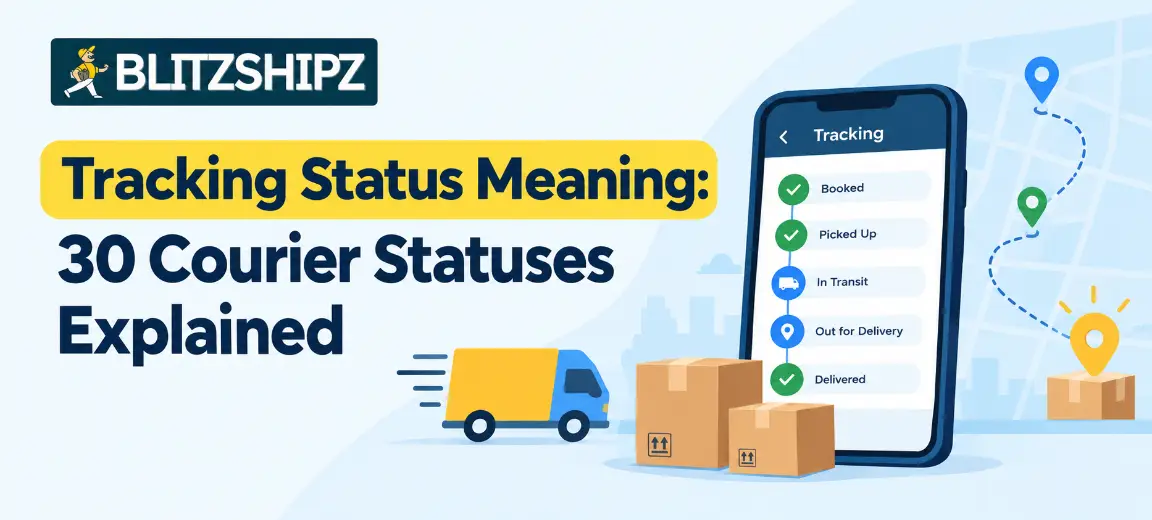
A tracking status is the short update a courier adds each time your parcel is scanned, such as “Manifested”, “In transit” or “Out for delivery”. The tracking status meaning tells you where the parcel is right now and what happens next, from booking and pickup to hub sorting, delivery and, if needed, the return to the seller.
This guide explains the tracking status meaning of 30 common courier statuses used in India, in the order you usually see them, with the next step for each one. It also covers the short forms couriers use and what to do when a status looks stuck.
Key facts
What it is: A tracking status is an update recorded when a parcel is scanned or handled at one step of its journey.
Usual order: Booked → Manifested → Pickup scheduled → Picked up → In transit → Arrived at destination hub → Out for delivery → Delivered.
Wording differs: Each courier uses its own words for the same step. “Outscanned to network”, “Item dispatched” and “In transit” can all mean the parcel is moving between hubs.
Updates come with scans: A status changes only when the parcel is scanned, so a gap of a few hours while it is on a vehicle is normal.
Problem statuses: Statuses such as Pickup exception, Delivery attempted, Delivery on hold and Shipment exception need action from the seller or the buyer.
At BlitzShipz: Sellers see the status of shipments from all their courier partners in one dashboard.
Shipping with more than one courier? Create a free BlitzShipz account and track every shipment from all your courier partners in one dashboard, with live status updates. See how one dashboard tracks every courier →
A tracking status is the latest scan update on your order’s tracking page. Each time the shipment is booked, picked up, sorted at a hub, loaded on a vehicle or delivered, the courier records a scan and the status changes to show that step.
People also call it the delivery status or the shipment status. The delivery status meaning and the shipment status meaning are the same thing: a record of the last step your parcel completed.
Each update has three parts, and you should read them together:
|
Part |
What it shows |
Example |
|
Status |
What happened |
Shipment further connected |
|
Location |
Where it happened |
COD Processing Centre II |
|
Date and time |
When it happened |
12 Oct, 03:46 |
You see the status by entering the tracking number (AWB) on the courier’s or the seller’s tracking page. If you are not sure which number that is, here is what a consignment number is and where to find it.
Most parcels in India move through the same eight steps, even if each courier names them a little differently.
|
Step |
Common status |
What it means |
|
1 |
Booked |
The shipment is created and has a tracking number |
|
2 |
Manifested |
The parcel is packed and listed for pickup |
|
3 |
Pickup scheduled |
The courier has been asked to collect the parcel |
|
4 |
Picked up |
The courier has collected the parcel |
|
5 |
In transit |
The parcel is moving between hubs |
|
6 |
Arrived at destination hub |
The parcel has reached the hub that serves the buyer’s area |
|
7 |
Out for delivery |
An agent is bringing the parcel to the buyer |
|
8 |
Delivered |
The parcel has been handed over |
If something goes wrong, a problem status (such as Delivery attempted) or a return status (such as RTO initiated) appears between these steps. The sections below give the courier tracking status meaning for each one, with the next step.
Booking and pickup statuses appear before the shipment leaves the seller. The tracking status meaning at this stage matters most to sellers, because an order stuck here has not started its journey yet.
Booked means the shipment has been created and given a tracking number, but the parcel is still with the seller. At a post office, the same step shows as “Item booked”.
Next step: Sellers should pack the order and check the pickup date. Buyers should wait for the pickup scan.
Manifested means the order is packed, its shipping label is ready and it has been added to the list (the manifest) of parcels the courier will collect. The parcel has not been picked up yet, so it has not shipped. The weight the seller enters at this stage is often called the manifested weight, and the courier can later compare it with the weight it measures.
Next step: Keep the parcel ready at the pickup point and watch for the pickup scan.
Pickup scheduled means the courier has been asked to collect the parcel, but the collection has not happened yet.
Next step: If the pickup date has passed and the status has not changed, the seller should check whether the pickup agent came and book another pickup if needed.
Pickup exception means the courier tried to collect the parcel but could not, or the pickup was not attempted at all. Common reasons include the parcel not being ready, the pickup agent not arriving, or the vehicle not having space for the parcels.
Next step: The seller usually needs to check the reason and reschedule the pickup.
Shipment picked up means the courier has collected the order from the seller and it has entered the courier network. From here, it goes to the first hub for sorting.
Next step: No action is needed. Keep the tracking number and watch for the next scan.
Hub and transit statuses show the shipment moving between facilities. This is where couriers use the most different wording for the same step, so the tracking status meaning is easier to follow when you know the common versions. A few hours without a new update is normal here, and most of these statuses need no action.
Item received means the parcel has been scanned in at a facility, such as the booking office or a hub. Some couriers call this an inscan.
Next step: No action is needed. Check the location to see where the parcel is.
Item bagged means the parcel has been placed in a dispatch bag with other parcels going the same way, so they can travel together to the next office or hub. It is a normal sorting step, not a delay. You see this status most often on postal shipments.
Next step: No action is needed. The next update is usually Item dispatched.
Item dispatched means the bag containing your parcel has left the office or hub and is on its way to the next one. It does not mean the parcel is out for delivery yet. Many couriers show the same step as “Dispatched” or “Shipped”.
Next step: No action is needed. Watch the next scan to see where it arrives.
At processing center means the parcel is at a sorting facility, where it is scanned and grouped with parcels going to the same city or hub. A parcel can pass through more than one processing center on a long route.
Next step: No action is needed. Keep an eye on the EDD.
Shipment outscanned to network means the parcel has been scanned out of a hub and loaded for the next part of its journey. A hub name, such as an airport hub or a city hub, often appears with it. It is a normal transit update, not a problem.
Next step: No action is needed unless the EDD has passed.
Shipment further connected means the parcel has been forwarded from the facility shown in the location column to the next facility on its route. It is a normal transit update.
Next step: No action is needed. Read the location column to see where it was sent from.
COD Processing Centre is usually the name of a courier facility, not a status. In many tracking histories, it appears in the location column, often with a city or a number, such as “Hyderabad COD Processing Centre” or “COD Processing Centre II”, and shows the facility that handled your parcel at that step. On its own, it does not mean there is a problem with a cash on delivery payment.
Next step: Read it as a location, not a status, and check the status column next to it.
In transit means the shipment is moving between facilities on its way to the destination city. It is usually the longest stage, and the status may not change for a while between scans.
Next step: Wait for the next scan. Contact the seller only if the EDD has passed.
Arrived at destination hub means the parcel has reached the facility that serves the buyer’s area. The next step is usually out for delivery, once the parcel is assigned to an agent.
Next step: Buyers should make sure their phone number and address are correct, as the parcel is close.
Item yet to reach hub nearest to you means the parcel is still on its way and has not yet arrived at the local hub for your area. It is a transit update, not a problem.
Next step: No action is needed. Check the EDD and wait for the next scan.
Shipment redirected means the parcel’s route or destination has been changed, for example to a new address or a different hub. When the update says “redirected on same AWB”, the parcel keeps its tracking number, so you can keep tracking it with the number you already have.
Next step: If you did not ask for a change of address, contact the seller to confirm the new destination is correct.
Delivery statuses appear on the day the order is due to reach the buyer. The tracking status meaning here is simple: the shipment is usually in the buyer’s city and close to the door.
Onboard the courier vehicle means the parcel has been loaded onto a vehicle, either for the next hub or for the last leg to the buyer. If the location shown is the buyer’s city, the parcel is usually close. Some couriers show a similar update as “Allocated to trip”, which means the parcel has been added to an agent’s route for the day.
Next step: Keep your phone reachable if the location is your city.
Out for delivery means an agent has the parcel and is expected to attempt delivery that day. It is not a guarantee of handover.
Next step: Keep your phone reachable and, for COD orders, keep the amount ready.
Enroute for delivery means the order is on its way to the buyer’s address. It works in much the same way as out for delivery.
Next step: Same as out for delivery: stay reachable.
Outbound for delivery means the parcel has left the local hub and is heading to the buyer’s address.
Next step: Treat it like out for delivery and stay reachable.
Delivered means the parcel has been handed over at the buyer’s address.
Next step: If the status shows delivered but the buyer did not get the parcel, they should contact the seller with the tracking number the same day, so the seller can check the proof of handover with the courier.
Problem statuses mean the normal journey has paused. Most can be fixed if the seller or the buyer understands the tracking status meaning and acts quickly.
Delivery attempted means the agent tried to deliver but could not hand over the parcel, so the courier raises an NDR (non-delivery report). Common reasons include the buyer not being reachable, a locked house or an incomplete address. Some couriers show this as “Undelivered”.
Next step: The seller should call the buyer, confirm the address and ask for a re-attempt. Here are the NDR reason codes explained one by one.
Customer wants future delivery means the buyer asked for delivery on a later date, so the courier will try again then.
Next step: The seller should confirm the date with the buyer, because repeated delays can end in a return.
Delivery on hold means the courier has paused the shipment for a reason, such as an address that needs checking, a request from the buyer or seller, or a local holiday or disruption. The parcel will not move until the reason is cleared.
Next step: Check the reason in the tracking history, and the seller should clear it with the courier partner.
Shipment exception means something stopped the parcel from moving as planned, such as damage, a wrong address, bad weather or a missed connection. It is a prompt to check, not a final result.
Next step: The seller should find the exact reason from the courier partner and fix it, for example by updating the address.
Re-dispatched means the parcel has been sent out again from a facility. It often follows a failed delivery attempt, but it can also follow a missed connection or a change of route.
Next step: Read the scan before it to see why. If you see it more than once after failed attempts, the seller should contact the buyer and the courier to fix the reason.
Lost and damaged are two different problems. Lost means the courier cannot find the parcel in its network. Damaged means the parcel or the product inside was harmed on the way. Some couriers show these as tracking statuses, and others show them only as the result of a claim.
Next step: The seller should raise a claim with the courier quickly and keep the order details, invoice and packing photos ready. Here is what to do when a shipment is delayed or lost.
Tired of failed deliveries turning into returns? With BlitzShipz, the AI Caller contacts your customer when a delivery fails, and you get an instant WhatsApp alert when an order enters NDR. Start using AI calling and WhatsApp NDR alerts →
Return statuses mean the shipment is going back to the seller instead of the buyer. RTO stands for return to origin.
RTO initiated means the courier has started sending the parcel back to the seller, usually after failed delivery attempts or a cancellation.
Next step: The seller should check the reason and, if the buyer still wants the order, ask the courier partner whether the return can still be stopped.
RTO in transit means the shipment is on its way back to the seller.
Next step: No action is needed. Track it until it reaches you.
RTO delivered means the returned order has reached the seller again.
Next step: Check the parcel, inspect the product and update your stock and order records. Every RTO costs the seller shipping both ways, so here are steps to reduce RTO in ecommerce.
The most common short forms in courier tracking are AWB, EDD, OFD, NDR, NPR, RTO and COD. Knowing them makes every tracking status meaning easier to read:
|
Short form |
Full form |
What it means |
|
AWB |
Air waybill |
The tracking number of the shipment |
|
EDD |
Estimated delivery date |
The date the courier expects to deliver |
|
OFD |
Out for delivery |
The parcel is with an agent for handover |
|
NDR |
Non-delivery report |
A record raised when a delivery attempt fails |
|
NPR |
Non-pickup report |
A record raised when a pickup fails |
|
RTO |
Return to origin |
The parcel is going back to the seller |
|
COD |
Cash on delivery |
The buyer pays when the parcel is handed over |
The EDD meaning in courier tracking is simple: it is an estimate, not a promise, and it can change if the parcel is delayed on the way.
A tracking status usually stops updating because the shipment is between scans, for example on a long road or air route between two hubs. The status changes only when someone scans it, so a gap of a few hours is normal.
Look into it further if:
The status has not changed for much longer than the expected delivery time.
The EDD has passed and the parcel is not out for delivery.
The status shows a problem, such as Pickup exception, Delivery on hold or Shipment exception.
In these cases, the buyer should contact the seller with the tracking number, and the seller should raise it with the courier partner.
Sellers should act on problem statuses the same day and simply watch the normal ones. Once you know the tracking status meaning, this table gives a quick plan:
|
Type of status |
Needs action? |
What the seller should do |
|
Booked, Manifested |
No |
Pack the parcel and keep it ready for pickup |
|
Pickup scheduled (date passed), Pickup exception |
Yes |
Check with the courier and reschedule the pickup |
|
Hub and transit statuses |
No |
Wait for the next scan and keep an eye on the EDD |
|
Delivery attempted, Customer wants future delivery |
Yes |
Call the buyer, confirm the address and a new date |
|
Delivery on hold, Shipment exception |
Yes |
Find the reason and clear it with the courier |
|
Lost or damaged |
Yes |
Raise a claim with the order details and photos |
|
RTO initiated |
Yes |
Check the reason and stop it early if the buyer still wants the order |
|
RTO delivered |
Yes |
Inspect the parcel and update stock and order records |
Doing this for every order by hand is slow when you ship with several couriers. Here is how shipment tracking works on BlitzShipz across all your courier partners.
A courier’s own tracking page is usually enough if you ship with one courier and send a few orders a day. Once you ship with two or more couriers, or your order volume grows, one tracking dashboard saves time, because every shipment and its status shows in one place.
|
What you compare |
Each courier’s own website |
One shipping dashboard |
|
Where you check |
A separate site, and often a separate login, for each courier |
One login for all your courier partners |
|
Finding problem orders |
Check each AWB one by one |
Filter by status, courier or date |
|
Failed delivery alerts |
Depends on the courier |
Alerts such as WhatsApp NDR alerts, where the platform offers them |
|
Tracking page your buyer sees |
Shows the courier’s branding |
Can show your own brand, where the platform offers it |
|
Returns and COD orders |
Tracked separately on each site |
Tracked with your other shipments |
|
Best for |
One courier and a low order volume |
Two or more couriers, or a growing order volume |
Before you choose a shipping platform for tracking, check that it:
Shows shipments from all your courier partners in one list.
Lets you filter by status, courier and date, so problem orders stand out.
Alerts you when an order enters NDR, so you can act before it becomes an RTO.
Tracks returns and COD orders alongside your other shipments.
Gives your buyers a tracking page with your brand.
Lets you compare rates before you book.
Knowing each tracking status meaning still helps, but a good dashboard shows you which statuses need your attention today.
BlitzShipz is a shipping platform for Indian sellers that brings multiple courier partners into one account. You follow every status in one place, instead of working out the tracking status meaning on each courier’s own site, and you can act on problems quickly.
See every status in one place
One dashboard with live tracking: Track shipments from all your courier partners in one dashboard, with real-time updates.
Branded tracking page: Customise the tracking page your customers see, with your logo, brand colours and support contact details.
Multiple courier partners: Ship through multiple courier partners from one account, without logging in to each courier’s site.
Smart courier selection: BlitzShipz helps you pick a suitable courier for each shipment from its courier partners.
Fix problem statuses before they become returns
AI calling on failed deliveries: When a delivery fails, the AI Caller contacts your customer to understand why. The call recording is available on your seller panel.
WhatsApp NDR alerts: You get an instant WhatsApp alert when an order enters NDR, so you can act before it turns into an RTO.
Return management: Reverse pickups are supported according to your return policy.
Weight dispute help: Raise weight disputes from the dashboard, and BlitzShipz takes them up with the courier partner.
Ship faster and wider
Compare rates before booking: Check courier rates and serviceability for your pickup and destination pin codes in real time, or use the Shipping Rate Calculator.
28,000+ pin codes: Pan-India coverage across 28,000+ pin codes.
Next day delivery for orders that need to reach buyers quickly.
Express delivery with same day pickup for urgent shipments.
Door-to-door pickup and delivery, so you do not need to drop parcels anywhere.
For growing sellers
COD remittance: COD remittance is processed daily on a T+4 cycle, which is 4 working days from the date the order is delivered, with no hidden charges.
Bulk and B2B shipping, including warehouse dispatch.
Integrations with Shopify, WooCommerce and Wix, or use the Open API.
Get started
Free account: Sign up free, complete KYC, set up your warehouse and business profile, and get instant activation.
Support: Call +91-120-5106784 or chat on WhatsApp, Monday to Saturday, 9:30 AM to 6:30 PM.
Ready to stop chasing tracking pages? Your BlitzShipz account is free, activation is instant once your KYC is done, and you can connect your Shopify, WooCommerce or Wix store, or use the Open API. Explore the BlitzShipz seller dashboard →
When a courier shipment needs an e-way bill, the ₹50,000 limit, who generates it, validity, edit and cancel rules, and penalty.
Read More
Delhi to Mumbai courier guide: cost, delivery time, air vs surface and documents.
Read More
Branded tracking page explained: what to include, how it cuts WISMO queries, and how to add one to your store.
Read MoreTracking status meaning: 30 courier statuses explained in order, plus short forms and what to do when a status is stuck.
Read More
Shipping zones in India explained: the 5 courier zones, how they affect charges, and how to set zones in your store.
Read More