30/10/2026
E-Way Bill for Courier 2026: Limit, Rules, Who Generates It
When a courier shipment needs an e-way bill, the ₹50,000 limit, who generates it, validity, edit and cancel rules, and penalty.
Read More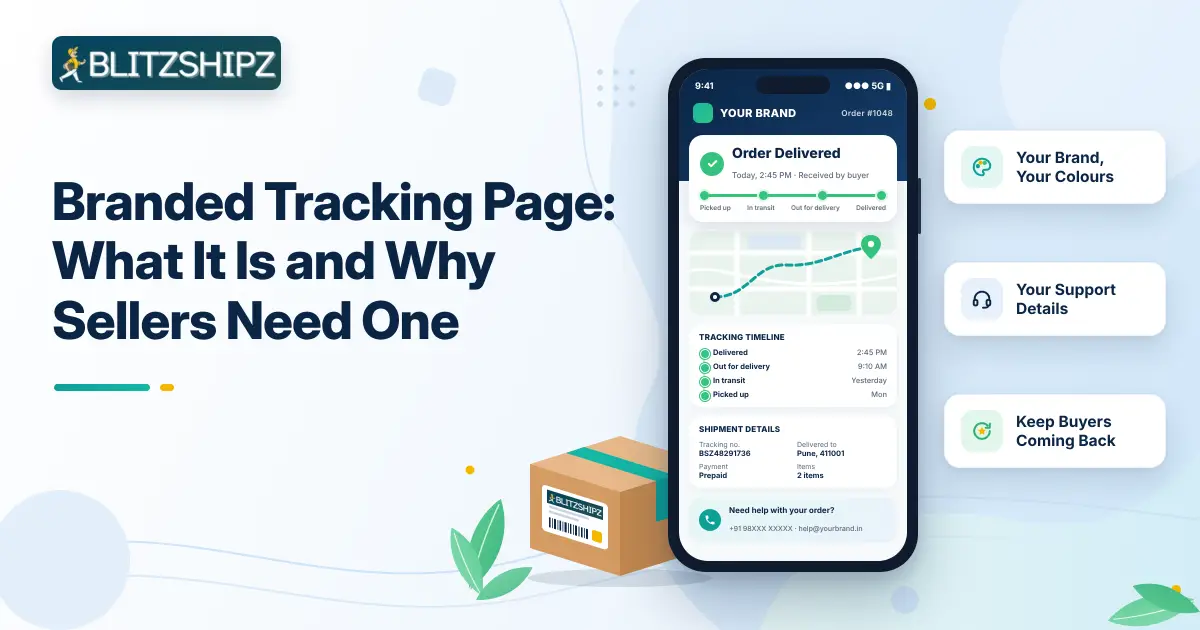
A branded tracking page is the order status page your buyers see with your store’s name, logo and colours, instead of the delivery partner’s. When a buyer checks where their order is, they stay with your brand, see the latest update clearly, and find your support details if they need help.
For online sellers in India, the days between “order placed” and “delivered” are a big part of the post purchase experience, and they are when most “where is my order?” questions come in. This guide explains what a branded order tracking page is, how it differs from the page a delivery partner gives, what it should include, how it helps cut WISMO queries and failed deliveries, and how you get one for your Shopify, WooCommerce or Wix store, or through the Open API, when you ship through BlitzShipz.
Key facts
What it is: Your buyer’s order status, shown with your store name, logo, colours and support details. It is also called a custom tracking page.
Who sees it: Your buyers, when they check the status of their order.
Why it matters: Buyers follow their order in one familiar place, and they contact you, not the delivery partner, when they have a question.
Works across partners: When you ship with several courier partners, buyers still see one design.
At BlitzShipz: Sellers who sign up and ship through BlitzShipz can set it up in their settings, using one of 4 templates: Modern, Minimal, Bold or Fresh, and send buyers updates by email or WhatsApp.
Want buyers to see your brand on every order update? A free BlitzShipz account lets you set a template, logo, colours and support details for the order updates your buyers see. Open your free account to set up branded tracking →
A branded tracking page is where your buyer checks their order status, designed with your brand. It shows the same updates, such as picked up, in transit and out for delivery, but in your colours, with your logo and your contact details. Some sellers call it a custom tracking page or a branded order tracking page, and all three mean the same thing.
The default tracking view belongs to the delivery partner and shows that company’s name and branding. Your own version keeps the buyer’s attention on your store from the moment they order until the parcel reaches them. It does not replace the delivery partner’s scan updates. It shows the same updates in your design.
If you are new to the status words buyers see, here is what each courier tracking status means.
The main difference is whose brand the buyer sees and whom they contact. The delivery partner’s version shows that company, while yours shows your store.
|
What you compare |
Delivery partner’s page |
Your branded page |
|
Brand the buyer sees |
The delivery company’s name and logo |
Your store name, logo and colours |
|
Who the buyer contacts |
Often the delivery company’s support |
Your support phone number and email |
|
Look across orders |
Changes with each delivery partner |
One design for every order |
|
Space for your offers |
None |
Optional promo banner and links to your website and Instagram |
|
Status updates |
Depends on the delivery partner |
Email or WhatsApp updates, if you turn them on |
|
Best for |
Occasional shipments |
Online stores that want repeat buyers |
Online sellers need one because buyers check their order again and again while they wait, and every visit can build trust in your store. Here is what it helps with:
Fewer WISMO queries. WISMO stands for “where is my order?”, one of the most common questions buyers ask while they wait for a delivery. When buyers can see a clear status in one place, many of them may not need to call or message you.
A better post purchase experience. Tracking is part of the post purchase customer journey, the steps from payment to delivery. A clean status view in your brand makes that wait feel looked after.
Buyers stay with your brand. They see your logo and colours, not another company’s, so your store stays in their mind.
One look for every order. If you ship with more than one partner, buyers still see the same design every time.
The right contact details. Your support phone and email are shown to every buyer, so questions come to you, not to the delivery partner.
A chance to sell again. A promo banner can show an offer, such as a discount code for the next order, and links can take buyers to your website or Instagram while they wait.
Shipping with more than one courier? With BlitzShipz, orders from all your courier partners show one branded design. Open your free account to ship with multiple courier partners →
It can help reduce failed deliveries because buyers who know when their order is coming are more likely to be available and reachable. It does not stop every failed delivery, but it removes some common causes:
|
Common cause of a failed delivery |
How the page and updates help |
|
Buyer not at home or not reachable |
Updates by email or WhatsApp tell the buyer the order is close, so they can plan to receive it |
|
Wrong or incomplete address |
Buyers see your support details and can contact you to correct it before the delivery attempt |
|
Buyer unsure the order is real or on its way |
A page in your brand, with a clear status, reassures the buyer |
|
Delayed action after a failed attempt |
Buyers know whom to contact, and you can follow up quickly |
When a delivery does fail, act fast. Here are the NDR reason codes explained one by one.
A good one includes your brand, a clear status, the shipment’s journey and a way to reach you. Use this checklist:
|
Element |
Why it matters |
|
Logo and store name |
Buyers know it is from you |
|
Brand colours |
It looks like your website |
|
Status summary at the top |
Buyers see the latest status first |
|
Timeline of scans |
Shows each step, from pickup to delivery |
|
Map |
Gives buyers a visual view of the journey |
|
Support phone number and email |
Buyers contact you, not the delivery partner |
|
Promo banner and links (optional) |
Brings buyers back to your store |
|
Email or WhatsApp updates (optional) |
Sends updates without the buyer checking online |
You get one when you sign up on BlitzShipz and ship your orders through it. BlitzShipz is a courier aggregator: you book shipments with multiple partners from one account, and your branded tracking works with the shipments you book there. Here is what a courier aggregator is and how it works.
Follow these steps:
Create your BlitzShipz account. Sign up free, complete KYC and set up your warehouse and business profile.
Bring in your orders. Connect your Shopify, WooCommerce or Wix store, or use the Open API. Here is how to connect your online store to BlitzShipz.
Pick a template. In your BlitzShipz panel, go to Settings, then Tracking Page, and choose Modern, Minimal, Bold or Fresh.
Add your brand. Set your brand colours and add your logo and brand name.
Add support details. Add your support phone number and email.
Arrange the sections. Reorder the header, status summary, map and timeline to suit your buyers.
Add offers if you want. Turn on the promo banner to show an offer or discount code, and add promo links to your website, Instagram page and contact number. Leave a link empty to hide it.
Turn on status alerts. Send buyers automated updates by email or WhatsApp.
Test it. Open the tracking link for one live shipment and check that your logo, colours, support details and status show correctly.
Buyers can also look up a shipment with its tracking number on the BlitzShipz track order page.
You add a tracking page to your store by connecting the store to BlitzShipz and then giving buyers an easy way to reach the page from your site and messages. Your Shopify order tracking page or WooCommerce order tracking page then shows your brand, whichever partner carries the order, and the same works for a Wix store.
Connect your store. Link your Shopify, WooCommerce or Wix store to BlitzShipz, or connect your own website or app through the Open API, so your orders come in automatically.
Set up your branded page. Follow the BlitzShipz steps above for template, colours, logo and support details.
Add a "Track your order" link to your store menu.
Shopify: Go to Content, then Menus, open your menu, click Add menu item, paste your BlitzShipz tracking link and save.
WooCommerce: Go to Appearance, then Menus, and add a custom link. If your WordPress theme is a block theme, go to Appearance, then Editor, and add the link in the Navigation block.
Wix: In the Editor, click Pages and Menu, then Add Menu Item, choose Link, select the web address option, paste your BlitzShipz tracking link, click Done, name the item "Track your order" and click Done again.
Add the link to your messages. Put the tracking link in your order confirmation and shipping messages, so buyers find it without searching.
Using the Open API? Add the same tracking link to your website or app. Your developer can also use BlitzShipz webhooks, which can send status updates such as picked up, in transit and delivered to your server, to show them on your own pages.
The most common mistake is building a branded page and then sending buyers somewhere else to track. Avoid these as well:
Sending buyers to the delivery partner’s site. It breaks the experience you set up and takes buyers away from your store.
Leaving out support details. Without a phone number or email, buyers call the delivery partner or leave a bad review.
Too many banners. One clear offer works better than a screen full of ads that hides the order status.
No status alerts. Without email or WhatsApp updates, buyers have to keep checking for news themselves.
A design that does not match your store. Buyers may think it is not from you. Use your own colours and logo.
Expecting instant updates. A status changes only when the delivery partner scans the parcel, so a gap of a few hours between updates is normal.
BlitzShipz is a courier aggregator for Indian sellers, so every order you ship through it can carry your brand from label to doorstep, whichever courier partner delivers it.
Tracking page in your brand: 4 templates, your colours, logo, brand name and support contacts, sections in the order you want, and optional promo banners.
Order updates in your name: Buyers get email or WhatsApp updates when you turn them on.
Labels with your logo: Print in Premium Color, Essential Mono or Thermal style.
All shipments in one view: Track shipments from all your courier partners in one dashboard.
The AI Caller calls the buyer when a delivery fails, and the call recording is on your seller panel. - You get an instant WhatsApp alert when an order enters NDR, so you can act before it turns into an RTO. - Reverse pickups follow your return policy, and you can raise weight disputes from the dashboard. BlitzShipz takes them up with the delivery partner.
Multiple courier partners with smart courier selection, real-time rate and serviceability checks or the Shipping Rate Calculator, 28,000+ pin codes, next day and express delivery, and door-to-door pickup and delivery. COD remittance is processed daily on a T+4 cycle, which is 4 working days from the date the order is delivered, with no hidden charges. You also get bulk and B2B shipping and integrations with Shopify, WooCommerce and Wix, or the Open API. Sign up free, complete KYC and get instant activation. Support is on +91-120-5106784 or WhatsApp, Monday to Saturday, 9:30 AM to 6:30 PM.
Ready to put your brand on every order update? Your BlitzShipz account is free, activation is instant once your KYC is done, and you can connect your Shopify, WooCommerce or Wix store, or use the Open API. Explore the BlitzShipz seller dashboard →
When a courier shipment needs an e-way bill, the ₹50,000 limit, who generates it, validity, edit and cancel rules, and penalty.
Read More
Delhi to Mumbai courier guide: cost, delivery time, air vs surface and documents.
Read MoreBranded tracking page explained: what to include, how it cuts WISMO queries, and how to add one to your store.
Read More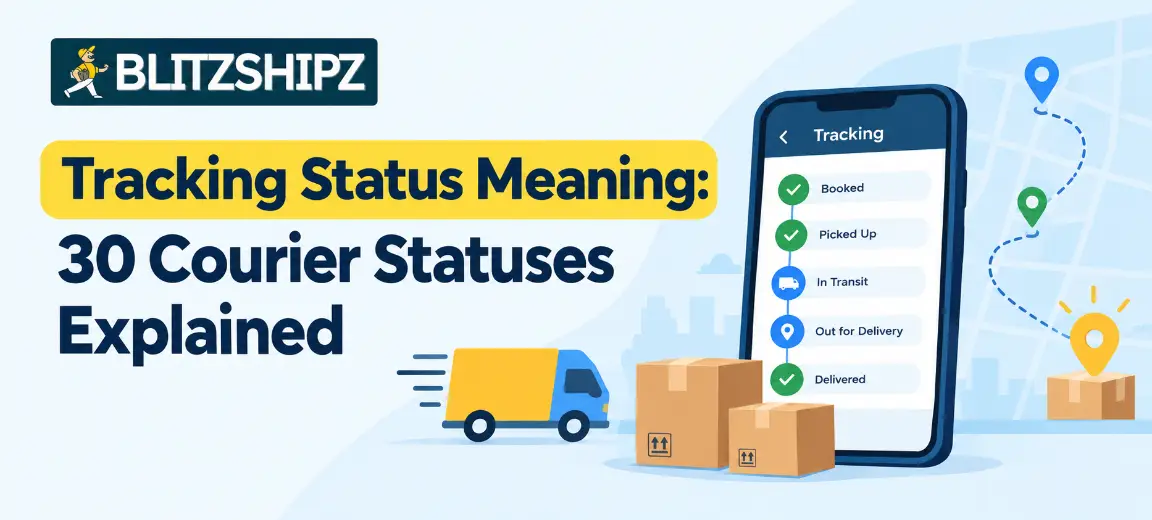
Tracking status meaning: 30 courier statuses explained in order, plus short forms and what to do when a status is stuck.
Read More
Shipping zones in India explained: the 5 courier zones, how they affect charges, and how to set zones in your store.
Read More